
AutoCount: e-Invoice: How to disable the auto checked "Consolidated e-Invoice?" checkbox when create new Invoice?
AutoCount:如何关闭新建发票时自动勾选“合并电子发票”

English article
Question
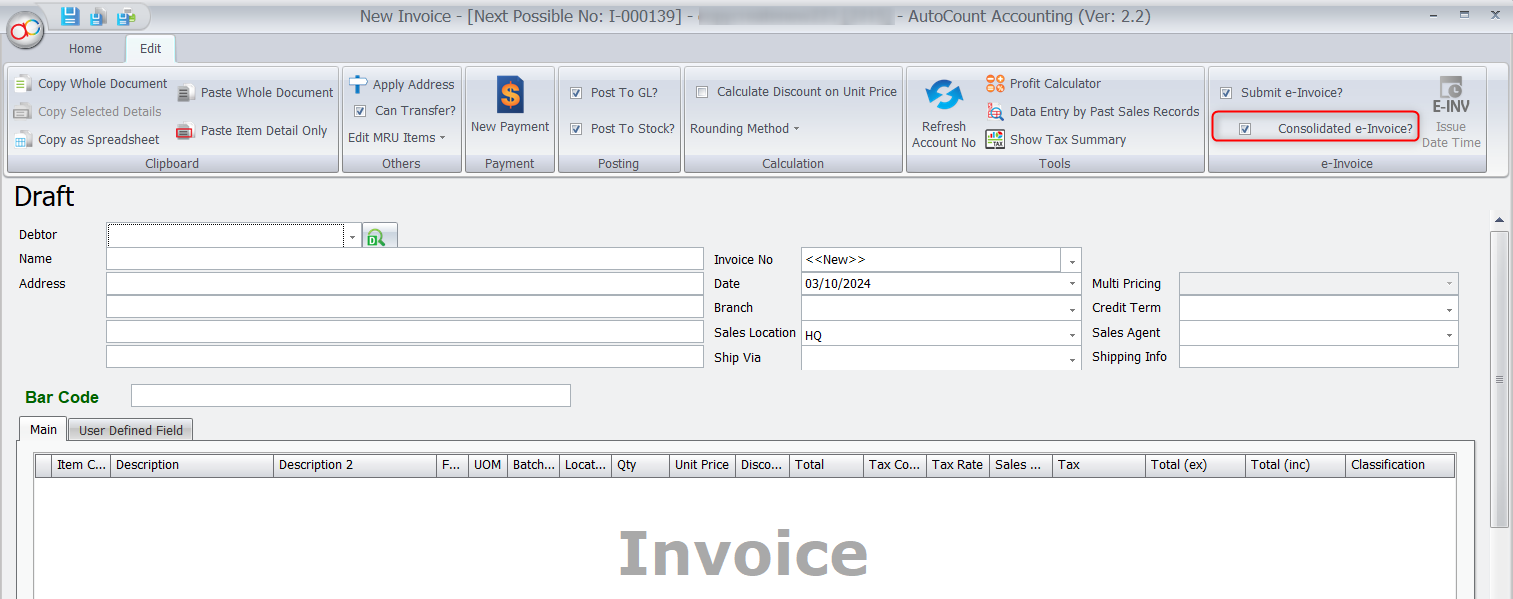
I want to submit e-Invoice individually using Rev6 and above, but every time create a new transaction the checkbox “Consolidated e-Invoice?” is checked at transaction which forces it to submit as Consolidated e-Invoice. How to disable this auto checked behavior?
Answer
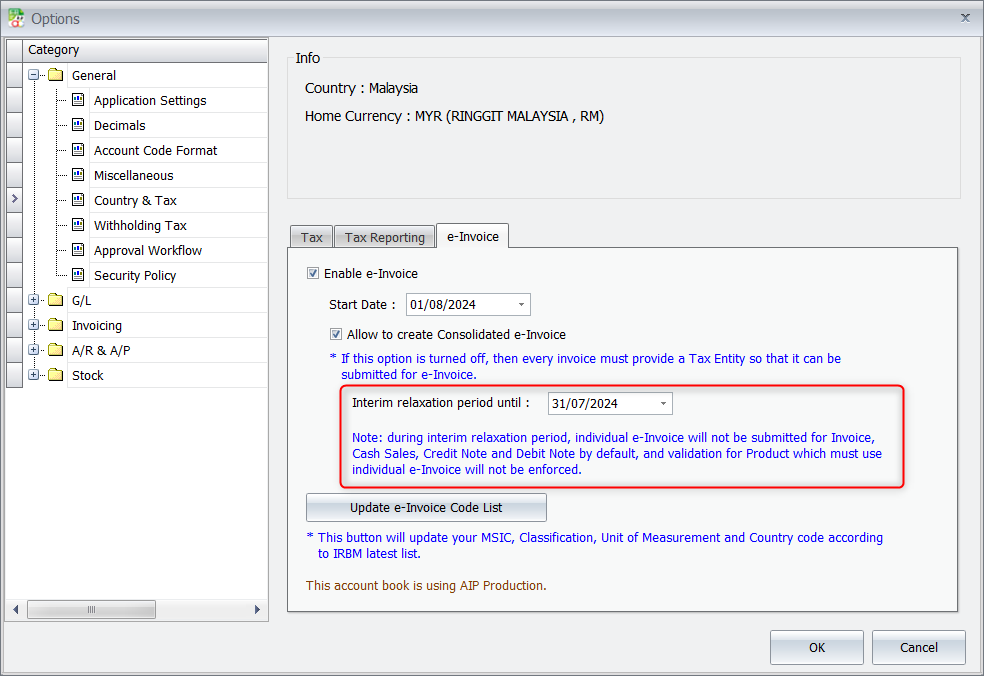
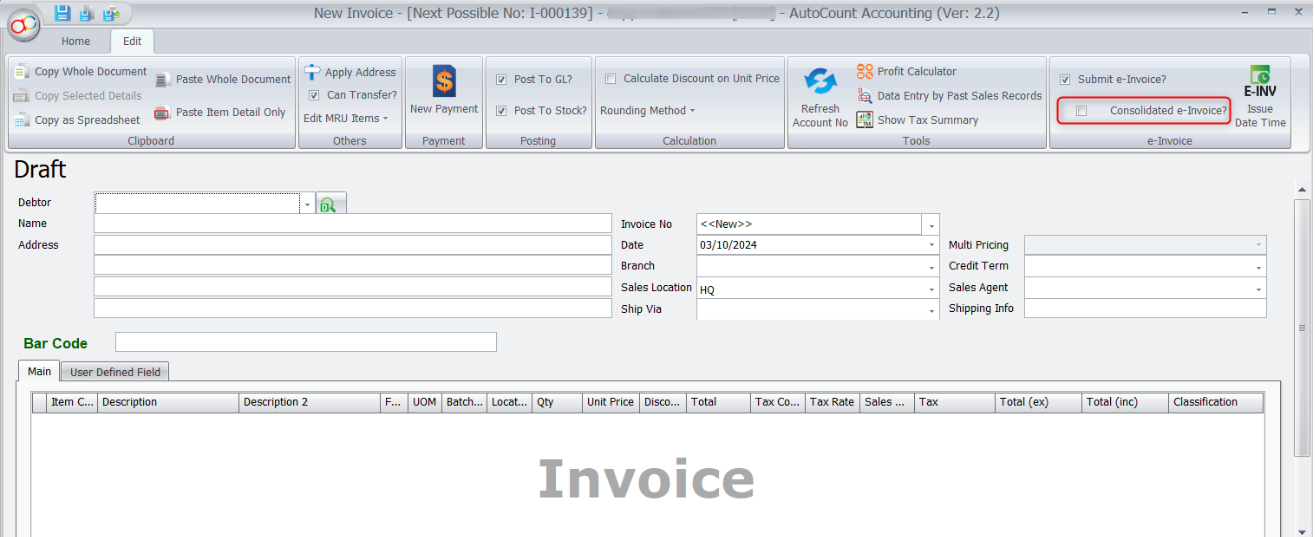
Go to Tools > Options > Country & Tax > e-Invoice tab, set your Interim relaxation period before your e-Invoice start date, EG: 31/07/2024. Then your new transaction will not auto check the “Consolidated e-Invoice?”.
Source: AutoCount Wiki · By: JS 240801
中文内容
问题
我想使用 Rev6 及以上版本单独提交电子发票,但每次创建新交易时,“Consolidated e-Invoice?”(合并电子发票?)复选框都会被勾选,迫使它作为合并电子发票(Consolidated e-Invoice)提交。如何关闭这个自动勾选的行为?
解答
前往 Tools(工具) > Options(选项) > Country & Tax(国家与税务) > e-Invoice 标签页,将 Interim relaxation period(过渡宽限期)设置为您的电子发票开始日期之前,例如:31/07/2024。这样您的新交易就不会自动勾选“Consolidated e-Invoice?”。
来源:AutoCount 官方 Wiki · 作者:JS 240801
MyTax Info
More practical e-Invoice updates