
AutoCount: SST: SST-02 Form - Values of Goods for Own Use and Free Services
AutoCount:SST-02 表格——自用商品与免费服务金额

English article
Question
Where do the values for goods used or disposed for own use and the values of free services come from in the SST-02 form?
Answer
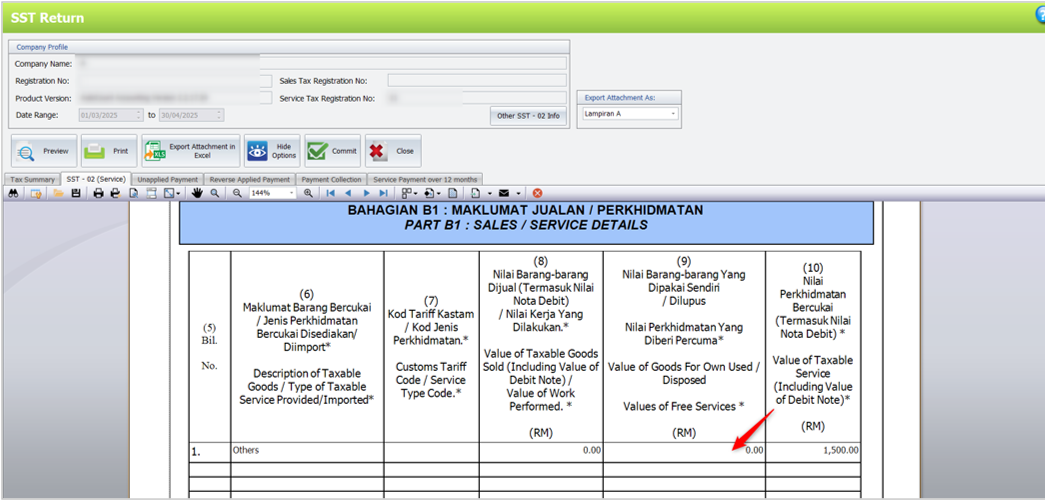
The column in the SST-02 form captures only tax transactions for goods for own use or disposed and free services, using the tax codes SU-10 and SU-5 (Sales Tax) and SVU-6 and SVU-8 (Service Tax).
For Service Tax (SVU-6, SVU-8):
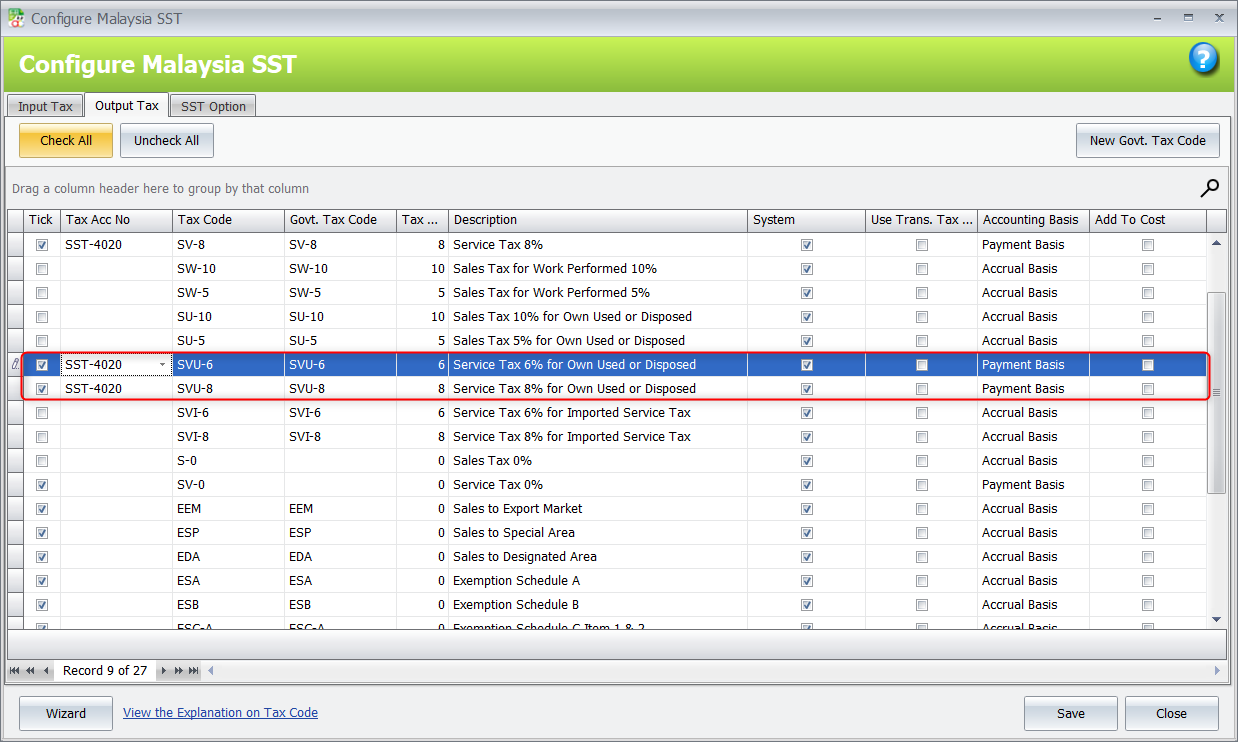
- Go to Tax > Tax Code Maintenance > click Configure Malaysia SST.
- Under Output Tax, select the relevant tax codes, assign the tax account number, and then save.
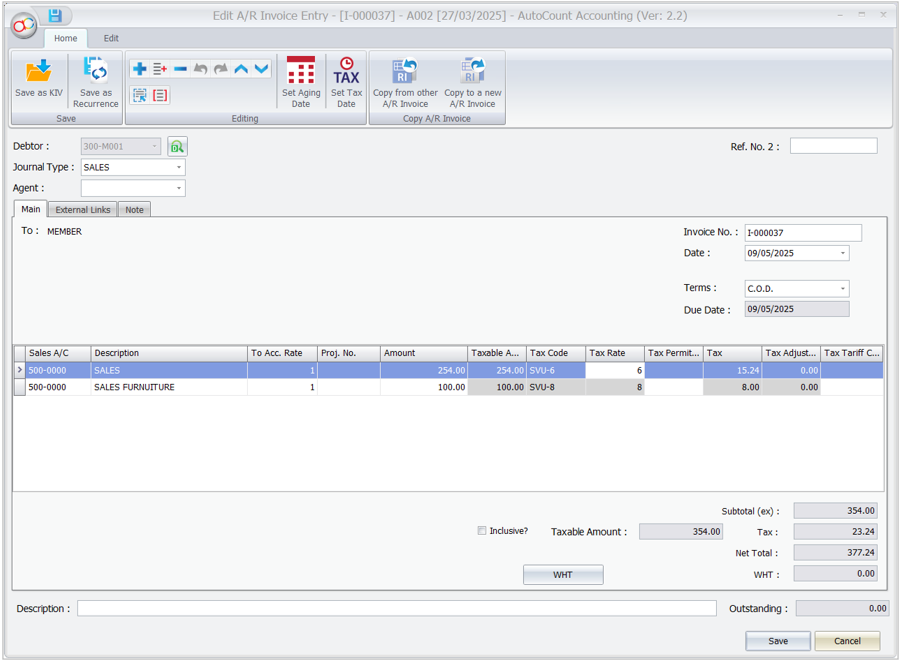
- Create a sales transaction using SVU-6 or SVU-8.
Note
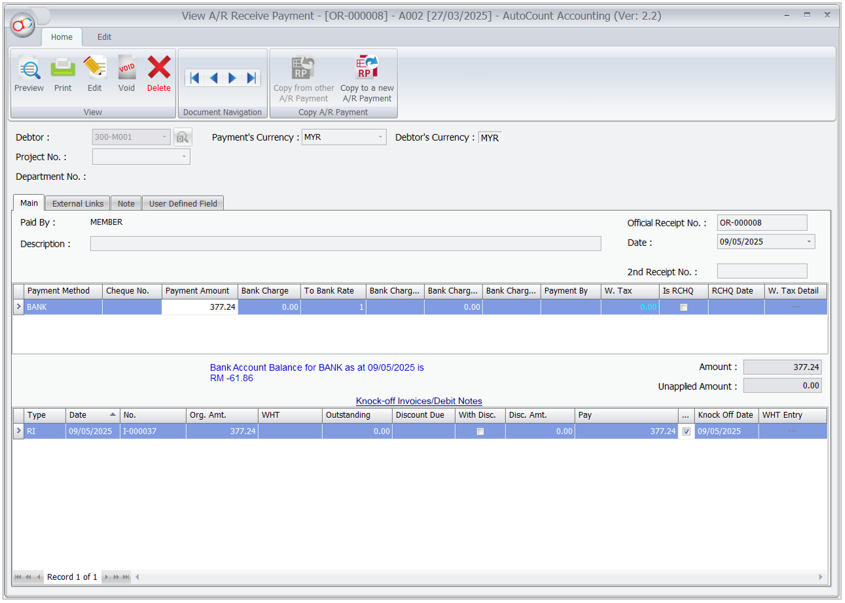
These are payment basis tax codes. You must knock off the payment; otherwise, the taxable amount will not appear in the SST-02 column.
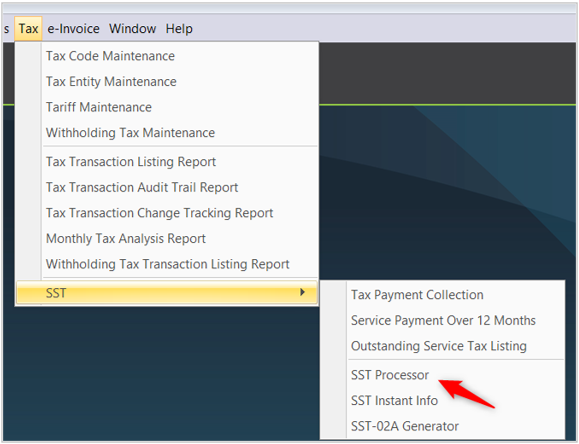
- Go to Tax > SST > SST Processor and run it for the relevant month (e.g., May).
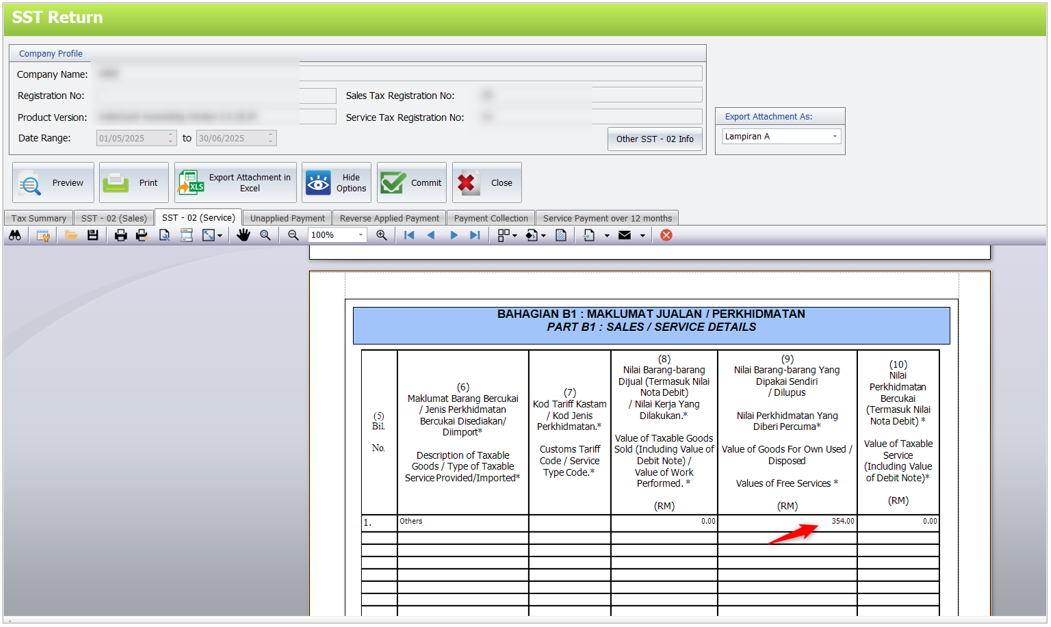
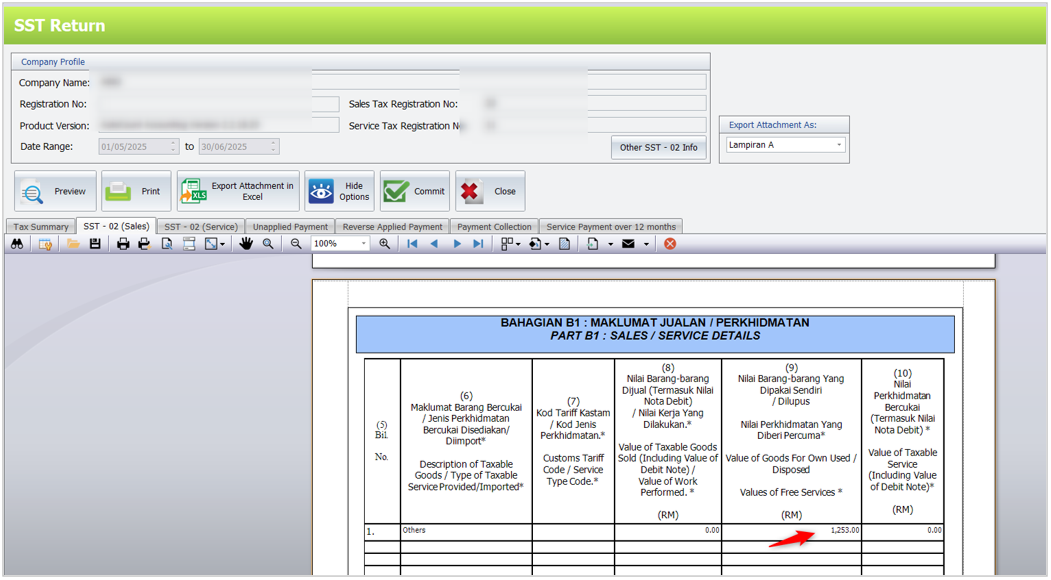
- View the SST Return, the amount (e.g., 354.00) will appear in the appropriate column under SST-02 (Service).
For Sales Tax (SU-10, SU-5):
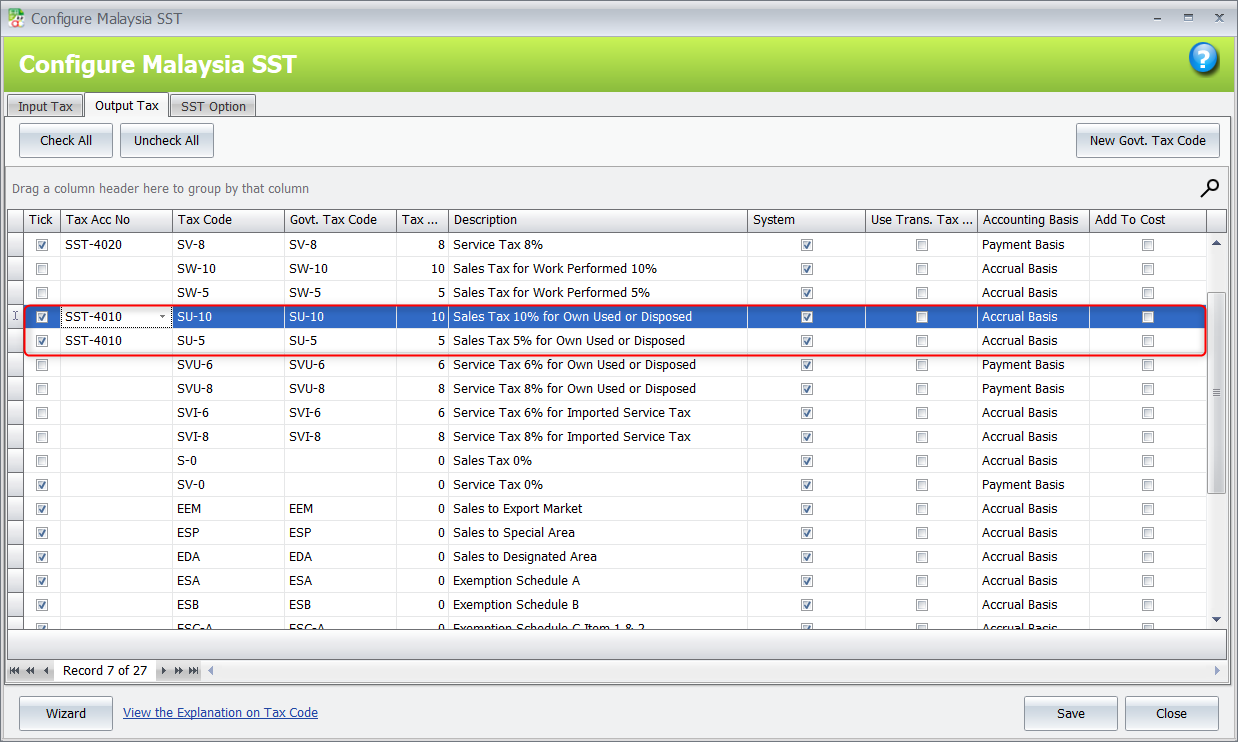
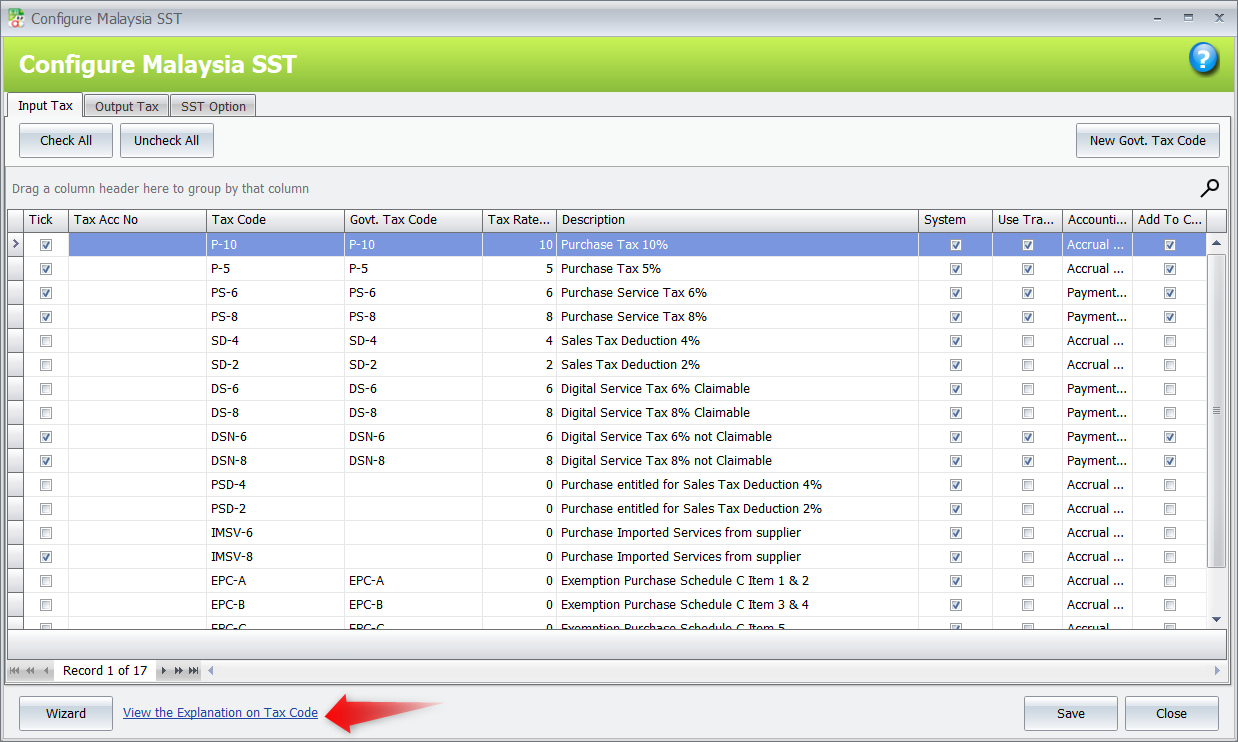
- Go to Tax > Tax Code Maintenance > click Configure Malaysia SST.
- Under Output Tax, select the relevant tax codes, assign the tax account number, and then save.
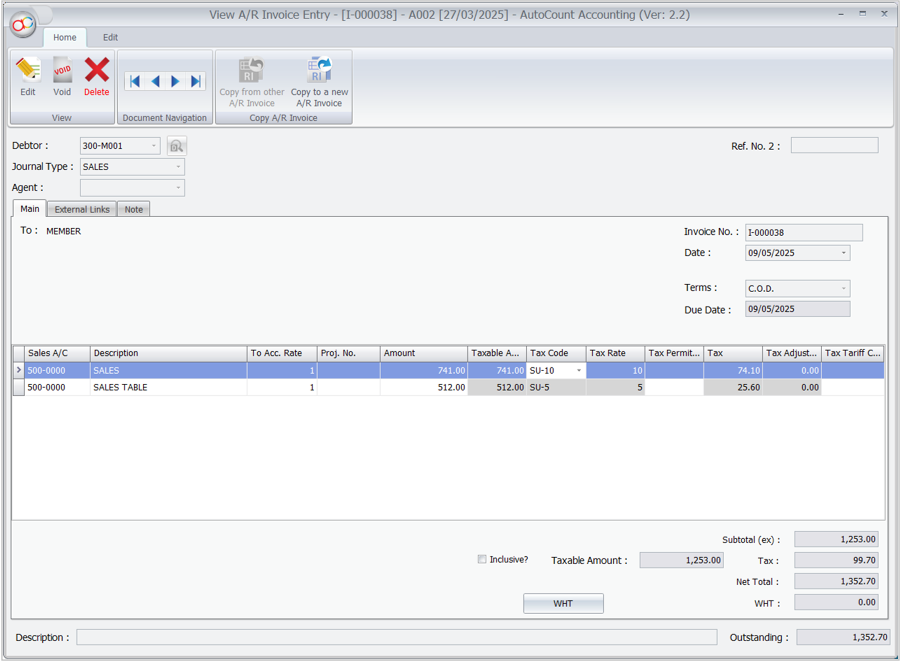
- Create a sales transaction using SU-10 or SU-5.
Note
These are accrual basis tax codes; the system captures the taxable amount based on the invoice date.
- Go to Tax > SST > SST Processor and run it for the relevant month (e.g., May).
- View the SST Return, the amount (eg,1,253.00) will appear in the appropriate column under SST-02 (Sales).
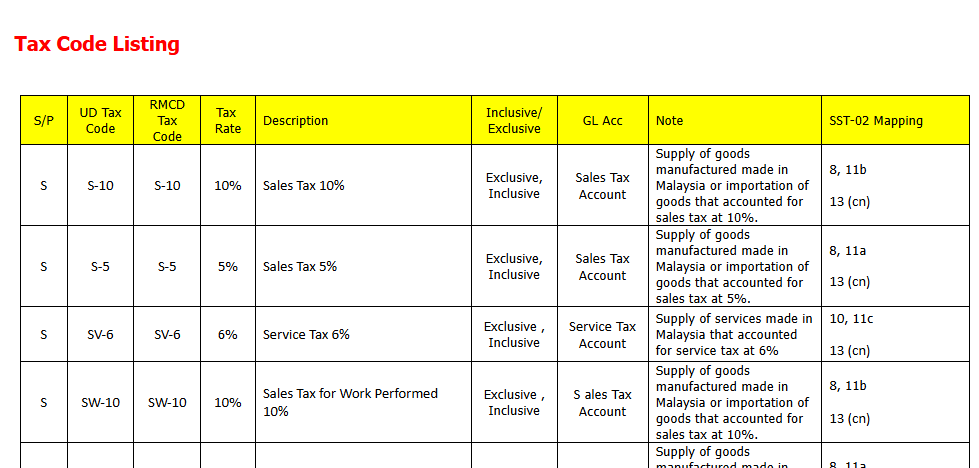
For more details on the tax codes, click View the Explanation on Tax Code in Configure Malaysia SST.
Source: AutoCount Wiki · By: Christine 250827, Lay Swan 250925
中文内容
问题
SST-02 表格中“自用或处置的商品价值”以及“免费服务价值”的数值从哪里来?
解答
SST-02 表格中的该栏位只会计入自用或处置商品以及免费服务的税务交易,使用的税务代码为 SU-10 和 SU-5(Sales Tax 销售税)以及 SVU-6 和 SVU-8(Service Tax 服务税)。
服务税(SVU-6, SVU-8):
- 前往 Tax(税务) > Tax Code Maintenance(税务代码维护) > 点击 Configure Malaysia SST(配置马来西亚 SST)。
- 在 Output Tax(销项税)下,选择相关的税务代码,指定税务科目号码,然后保存。
- 使用 SVU-6 或 SVU-8 创建销售交易。
注意
这些是以付款为基础的税务代码(payment basis)。您必须冲销(knock off)付款;否则,应税金额不会出现在 SST-02 的栏位中。
- 前往 Tax(税务) > SST > SST Processor(SST 处理器),并为相关月份(例如 5 月)运行它。
- 查看 SST Return(SST 申报表),金额(例如 354.00)将出现在 SST-02(Service 服务)下的相应栏位。
销售税(SU-10, SU-5):
- 前往 Tax(税务) > Tax Code Maintenance(税务代码维护) > 点击 Configure Malaysia SST(配置马来西亚 SST)。
- 在 Output Tax(销项税)下,选择相关的税务代码,指定税务科目号码,然后保存。
- 使用 SU-10 或 SU-5 创建销售交易。
注意
这些是以应计为基础的税务代码(accrual basis);系统根据发票日期计入应税金额。
- 前往 Tax(税务) > SST > SST Processor(SST 处理器),并为相关月份(例如 5 月)运行它。
- 查看 SST Return(SST 申报表),金额(例如 1,253.00)将出现在 SST-02(Sales 销售)下的相应栏位。
有关税务代码的更多详情,请在 Configure Malaysia SST(配置马来西亚 SST)中点击 View the Explanation on Tax Code(查看税务代码说明)。
来源:AutoCount 官方 Wiki · 作者:Christine 250827, Lay Swan 250925
MyTax Info
More practical e-Invoice updates